Archive for the ‘Open Source Software’ Category

Significantly Improving the BKit Graph GUI Widget Sync Code

Wednesday, November 5th, 2008
comboGraph.png

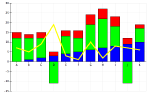
Today I spent some time working on removing the unnecessary calls in the 'simple' BKit graphs that synchronize the graph to the GUI widgets that allow the user to configure the graph. There were two biggies - first off, when adding a column label to the graph, the standard procedure is to sync the GUI widgets to the change at the end of the change. But if we're setting all of the column headers - as we would be at the onset, then we're calling this a lot more than we need to. Fix there is to be clever and set the column headers on the underlying graph - save the last one. Do that last one like the original and have it sync the GUI widgets at the end. This way, (n-1) are done quickly, and the last one is done completely.

The next issue was the updating of the secondary Y pick list based on the addition of columns of data to the secondary Y. Again, this makes sense for the addition of a single column of data, but for the initial set-up, we need to pause the listener handler while adding them, and then resume it when we're done. Simple enough, but to find it took a little bit of time.

I'm not fooling myself into thinking that this is going to make the graphs faster or more responsive - this is a quicker set-up, that's all. But as it was a linear problem, the larger the data set, the more improvement we'll notice. So it's not bad. Plus... don't do something twice if you don't have to. Makes good sense.

Trying MacTelnet 4.0 as Terminal Replacement

Tuesday, November 4th, 2008

MacTelnet.jpg

This morning I saw that MacTelnet 4.0 was out, and while I'd never heard of it, I wanted to give it a look-see, to see if there has been anything I've missed. I'm always on the look-out for a Terminal.app replacement. I'd settle for getting rid of the scroll bars, but that's not in the cards - at least not today.

Anyway, the MacTelnet 4.0 screen is pretty standard, but there's a border around the screen that is a little annoying. You can't get rid of the scroll bars, and there's no anti-aliasing of the text or manually setting the horizontal and vertical spacing. All these are in Terminal.app and iTerm. Seems that MacTelnet is going for a different audience.

I will say that I like that it's got TEK 4014 graphics. I spent a while in grad school creating a TEK 4014 terminal emulator only to see that VersaTerm on the Mac was far better, and did everything I needed. Still, there appears to be a different audience for this app than the iTerm/Terminal.app crowd. This seems to be for the larger font size, more GUI-based guys. Full screen seems nicely supported, but I'd never use that. Extensibility with Python is nice, but I'd never use that either.

So I'm interested to see where they are taking this, but for now, Terminal.app is still the winner, and iTerm a close second. We'll have to see what MacTelnet evolves into.

Checked In Advanced Secondary Y Axis Code on BKSimpleLineGraph

Tuesday, November 4th, 2008

comboGraph.png

Several weeks ago, a developer asked me if it would be possible to expand the functionality of the secondary Y axis on the BKSimpleLineGraphApplet such that when the secondary Y axis was visible, a new pick-list of columns appeared at the top of the widget. This second pick-list would mimic the original but be tied to the secondary Y axis, such that the user could select whatever they wanted to see on the secondary Y axis. This ended up spawning an entire set of issues with VantagePoint and the problems that it's had with the secondary Y axis in version 4.6.6.

While I'm waiting for Gordon to get back to me on the status of that final fix, I wanted to clean things up and check everything in, given that it appears to be working, and the only test is when we get a fixed version of VantagePoint.

So it's built, checked in and ready to go, and should work fine if it's used against version 4.6.4 (but that would require a recompile as the constants have changed).

UPDATE: I recompiled BKit against VantagePoint 4.6.4 to see how it looked and found that the same error exists there! So it doesn't matter if we use 4.6.4 or 4.6.6 - they both have the 'modulo 2' bug and I need to have a fix from Gordon for that. Good to know, sad to see. So I re-built it against 4.6.6 build 209 and that's what the developers can use until we get a fix.

UPDATE: I got an email response from Gordon saying that the next scheduled release of VantagePoint is 11/11/08 - one week from today. He said that this bug would be corrected in this release, and asked if that was soon enough for me. I told him that was fine, I can wait a week for the fix. It's good to know that it's fixed, and when we'll be getting the update.

Finally Checked in the Zoom Reset Option on BKit Graphs

Tuesday, November 4th, 2008

comboGraph.png

This morning I was clearing the decks as it were and trying to see if I could get the feature requested several weeks ago into CVS. The feature really started out as a bug report - the developer said that when the axes on a graph changed, the zoom should reset and show all the data regardless of the zoom that was in effect. I pointed out that many times the axes change is not a contextual change, as he implied, but a drilling for detail where the zoom represented the filtering of the dataset and the change in axes was the drilling for detail.

We agreed that it should be an option.

So I worked on the code and got it working. However, additional other graphing requests came in and they piled on top of the zoom reset code, and then they stalled because of the bugs I've found in the secondary axis for VantagePoint. This morning I decided to unwind these changes and commit the zoom reset and give it to the developer that asked for it.

So now it's done.

The way to activate it is to have a simple applet PARAM tag:

    <param name="zoomoutongraphchange" value="true"> 

and if this is in the applet tag, the graph will reset the zoom on any axes change. If it's 'false' or missing, then the default behavior is to respect the zoom level on the axes change.

I'm glad to get this out, and then isolate the changes still awaiting the fixes from VantagePoint.

Adding Pre-Selected Z-Axis Values to the Simple Scatter Graph

Monday, November 3rd, 2008

comboGraph.png

This morning I read an email from a developer asking me if it would be possible to extend the functionality of the pseudo z-axis on the BKSimpleScatterGraph to allow for the pre-selection of certain values so that if these values were on an applet tag, then only those values would be selected on the initial view of the graph. After that, the graph would function normally, allowing them to show more, or less, as they wished.

The key to this was to be able to easily encode a list (Vector) of objects on a single applet PARAM tag. Since I'd already done something like this for the CKit Variant list, it seemed reasonable to extend it and then make it easy for the user to generate the encoded value and easy for me to decode it.

The format for the encoding of the list is pretty simple:

  ;value_1;value_2;...;value_n;

where each of the value_i is an encoded value itself. This allows for lists of lists and list of tables, etc. For this particular instance, it's going to be z-axis values, specifically, String values, and the encoding for a string is simply: S:value. So the encoded list of some strings looks like:

  ;S:one;S:two;S:three;

would be the Java Vector with string values 'one', 'two', and 'three' in it. Simple.

But I wanted to make it even easier for the developers. So easy that they don't have to know the encoding scheme. That's where the refactoring work on the BKTable comes into play. With this, it's as easy as saying:

  Vector  v = new Vector();
  v.add("one");
  v.add("two");
  v.add("three");
 
  String  encoded = BKTable.generateCodeFromValues(v);

and then put encoded as the VALUE part of the PARAM tag. The NAME is going to be 'zvisible' and we're off to the races! On the applet side of things a simple call:

  Vector  v = BKTable.parseVectorFromCode(code);

gets me the Vector back from the code previously generated. Not bad at all.

When I put all this into the code, there were just a few little loose ends to clean up. Where would this list be read, and how would it default the graph? It took me an hour or so to wire it all up, but the hard part of refactoring the BKTable's encoding and decoding was done and it was pretty fast work after that. In the end, we have a wonderful way to pre-select the z-axis values on a SimpleScatterGraph. Not bad.

ScatterGraph Rescaled

Refactoring Encoding/Decoding on the BKTable

Monday, November 3rd, 2008

BKit.jpg

Today I spent a few hours refactoring the encoding and decoding on the BKTable because I wanted to achieve two things, neither of which was a pressing need for the BKTable: First, to allow the inclusion of the Vector as an elemental data type in the contents of a table's cell, and two: to expose the encoding and decoding of the Vector (Array) so that the CKit-based tables and Lists will match up nicely. The genesis of this is really to be able to have an applet PARAM tag take a Vector so that it's easy for a person to generate that tag (using the encoding of a Vector), and it's easy for me to decode it.

What this ended up doing was to really overhaul the serialization methods for the BKTable and make them look a lot more like their CKit counterparts. The finding of an appropriate delimiter is important to the table, but it's also important to the list. So the old way of having it embedded into the table's encode was just not the right thing to do. Likewise, the way in which individual values were both encoded and decoded was too restrictive for what I needed.

In the end, it was a few hours that gave me some very interesting code snippets. The most interesting, was the thread-safe, thread-local SimpleDateFormat. The Date, as an element in the table needed to be able to be decoded and encoded. But the SimpleDateFormat is not thread-safe, so what's to be done? The old code had a new one created for each encoding and decoding. The new one uses the code below:

  /**
   * In order to make the formatting of Date values efficient,
   * I want to make a class that's going to handle the formatting
   * in a thread-safe way using thread-local storage. The idea is
   * that each thread will create it's own formatter, and then
   * there won't be need for a bunch of them, and there won't be
   * problems with excessive garbage collection.
   */
  class SafeDateFormatter {
    private static ThreadLocal formatter = new ThreadLocal() {
      protected synchronized Object initialValue() {
        return new SimpleDateFormat("yyyyMMdd.hhmmss");
      }
    };
 
    public static String format(Date arg) {
      return ((SimpleDateFormat) formatter.get()).format(arg);
    }
 
    public static Date parse(String arg) {
      return ((SimpleDateFormat) formatter.get()).parse(arg,
            new ParsePosition(0));
    }
  }

with this little jewel, the incoming thread will create a thread-local copy of the SimpleDateFormatter with the default formatter provided. Then, each call after that will use the one and not create another. This is something I can see that they might not have wanted to do, but I can't imagine how much garbage collection I would have had were I to blindly create one each time one was needed. Yikes.

When I got all this done I created a few more tests, and like a champ, they worked perfectly. I was very happy. But all this did was really set the stage for the changes to the BKSimpleScatterGraphApplet - the ability to pre-select the z-axis values from an applet tag.

Added Simple Arithmetic Methods to the BKTable

Thursday, October 30th, 2008

BKit.jpg

Today a developer using BKit chatted me asking if it would be possible to add some simple arithmetic operations to the BKTable. Basically, adding, subtracting, multiplying and dividing the values in the table by simple external values without having to pull out the Object, get it's double value, do the math, create a new Double, and place it back in the table.

It seemed like a very reasonable suggestion. After all, because of the JEP parser, we had the ability to add complete tables, it only makes sense that we do the same for the contents of the individual cells in the table. Problem was, I didn't want to reproduce the code for the arithmetic operations themselves as I'd already written that once. I wanted to leverage that without making the code overly complex and include a JEP parser for each operation.

Thankfully, that wasn't necessary. The way JEP is structured, the operations are classes. I have sub-classed their Add, Subtract, Multiply, and Divide classes to make BKAdd, BKSubtract, BKMultiply, and BKDivide already to make the complex operations in the JEP parser work. Again, luck was on my side in that each of these had simple methods to really do the heavy lifing.

BKAdd used add(), BKSubtract used sub(), and so on. This meant that as long as the BKTable had an instance of BKAdd, it could add. So I make transient ivar of a BKAdd, BKSubtract, and so on to the class so they wouldn't be shipped around the universe, and then sent to work making the methods.

It was somewhat tedious work because I wanted to have forms that would take either integer or String indexing into the table - that's standard for the BKTable, and also have a version that took the generic Object, but also one that took a double for those times when it's just a bunch of numbers, and you don't need the added complexity.

Because it's possible to have nulls in the table before the operations happen, I took the logical stance that a null was the same as a zero for these operations. So, adding a number to a null gives you that something. Multiplying something by a null gives you the null - simple, but important, I think, if you're doing this to minimize the hassles of dealing with Objects when you want primitive values.

Took a while, but it was really nice to see it work. The ability to modify the individual cells in a BKTable now is really nice. It is going to make some of the work done with BKTables a lot cleaner.

JDK 1.6.0_10 is Out – Applet Stability Goes Final

Tuesday, October 28th, 2008

java-logo-thumb.png

I've been using the betas and release candidates of JDK 1.6.0 for several months now as it's the only version that allows me to properly run one of my apps in Java WebStart and have the graphing applets I've written work in web pages. It's been a know issue for Sun for a long time, and 1.6.0_10 has been in "beta" and then "release candidate" for a long time - I mean months. So it was nice to see yesterday that they finally released it.

I got the Windows and Linux versions and put them on my machines. It's where I need the WebStart and applet stability that this version gives me. Why they called it '10' when the last one I remember was '7', I don't know. I'm guessing a different group of guys was working on this from the main-line code, and it's taken so long because in addition to their features and fixes, they had to merge back in all the changes to the main JDK branch.

In any case, I'm sure it'll be a while before it shows up on Software Update... Apple is not the early adopter of JDK releases, they go through a lot of work when they get a new one, and that's OK with me. Mac OS X is a great java development platform, and the applet support was (and is) great without the need for JDK 1.6.0_10. But I'll bet that we see it. If not soon, then in Snow Leopard due out in January.

iTerm 0.9.6.1021 is Out

Tuesday, October 28th, 2008

iTerm.jpg

I was just thinking of how nice it'd be to get rid of the scroll bars on my Terminal.app windows, and it got me thinking about iTerm. I wondered if there was an update - so I ran it and sure enough, iTerm 0.9.6.1021 is out, and it fixed quite a few little things:

Version 0.9.6.1021 includes the following changes:

  • Fixed a bug that cause crashes when using vim.
  • 256 Color palette support (patch provided by Walter Dorwald).
  • Improved URL handling for ssh/ftp/telnet.
  • iTerm no longer sends a growl alert for a bell event if the winodw is the key window.
  • Highlight window when it's in the "send input to all tab" mode.
  • Better handling of "fork" errors.
  • The anti-idle is no longer sent to all tabs when "send input to all tabs" is on.
  • Other minor UI changes and bug fixes.

While I'm not sure it's still the complete replacement for Terminal.app, it's great to see that they haven't given up on it.

Updating FreeWRL to 1.21.0

Tuesday, October 21st, 2008

FreeWRL.jpg

On my way in this morning, I was thinking again about scientific visualization, and in particular, VRML. It's an interesting technology that I never got to do a lot of experimentation on at the time of my thesis, but since then, I've thought it would have been a wonderful way to visualize the results of the simulations. Given that I hadn't updated my VRML viewer on OS X in a while, I decided to see if FreeWRL had been updated recently.

Luckily, it had - to 1.21.0.

Interestingly, there now seems to be a vrml.jar that's part of the package, but I can't find a thing on it on the FreeWRL site. Maybe it's something that's in the beginning stages, but what a hoot to have it embed-able in a Java application. Interesting possibilities.

The tests work great on my aging MacBook Pro. Very nice indeed.

UPDATE: I found that there are a few tools for Blender to allow you to import and export VRML 2.0 files. This would be nice if I were creating them by hand, and it's nice to know about. I just need the talent now 🙂