Archive for the ‘Open Source Software’ Category

MacVim Snapshot 37 is Out!

Sunday, November 16th, 2008

MacVim.jpg

Once again, the MacVim team has released a new snapshot of one of the best Vim implementations I've ever seen. There are a few add-ins for this release, and a new way of communicating from the ObjC (Mac) side to the underlying C (Vim) side of the app. Hopefully, this is going to make the app more responsive on slower machines. I know I still love it and it's plenty fast on my MacBook Pro.

If you like Vim, get it.

Installed Fedora Core 9 on Older Laptop

Saturday, November 15th, 2008

Fedora.jpg

With all the machine consolidation in my office of late, and the replacement of Liza's Windows laptop with a MacBook Air, it seemed fitting to take her old laptop and put Fecora Core 9 on it just so that I'd once again have a linux machine in the office. The last laptop I had with linux on it was an interesting experience getting drivers for, etc. as it was RedHat 5 at the time. I used it to type in my old thesis simulation work and get that going again.

Over time, I upgraded it until the last version I had on there was Fedora Core 3. It hadn't been updated in a long while. I've been working with Fedora Core 5 and 6 at work, and while Fedora Core 10 is due out in a week or so, I decided to just get the Fedora Core 9 ISO and burn it onto a DVD and be done with it.

It's interesting to do this process every now and then as you see what defaults they have for the OS. In this case, the Firewall and SELinux were both on by default, and there were no options I saw in the install to disable them, as there was in the past. I'll have to do a few more installs before I'm sure, but normally, I can see people wanting these on by default, but in my office, and at work, where the network is secured, it's just a hassle to mess with ports, etc.

It's up and running and hooked into the router so I can get to it from outside (on certain ports, of course). It was interesting. Fun even. We'll see what I do with it, but it's nice to have an x86_64 linux box at home - like I have at work.

Firefox 3.0.4 is Out – Security and Stability Fixes

Thursday, November 13th, 2008

Firefox.jpg

This morning I noticed that Firefox 3.0.4 was out with the standard security and stability fixes. Nothing really specific unless you get pretty deep into the bug tracking code for Firefox. I don't - it's not that big a deal.

It's nice to see them moving forward, but I'm looking forward to 3.1 and a faster/better rendering scheme.

Sticking With PostgreSQL and PHP from Marc – For Now

Wednesday, November 12th, 2008

php.jpg

I was doing a lot of thinking about the Marc Liyanage builds of PHP and PostgreSQL and looking for alternatives - specifically MySQL as it's supported by Apple. Seems like a reasonable alternative if that's what I want to do, but I'm convinced now, more than before, that I can wait on Marc and see if he bows out or decides to keep things rolling, and here's the reason: Building PostgreSQL is easy. In fact, I can get it from another site with an OS X Installer package. That's not the problem. PHP is.

Marc packages a lot of third-party libraries with his PHP, and those are a lot more valuable to me than the most current database support. The version of PostgreSQL I have is fine. It works great. I don't need more. PHP is fine. If I find that I need a new database, then I'll look at MySQL as well and see how things shape up. But until I need a new database, I'm going to leave it as-is for now.

The trick will be building PHP from scratch with all the add-ins he's got. There is a build script on his support forum, and I could certainly start with that, and will, if I have to, but for now, I'm one minor release point behind Apple, and that's not a big enough reason to do it all myself.

I know I can get another PostgreSQL. I can get MySQL for sure. I can get and build PHP based on his script. That's a plan, if I need it. There's no reason to build a database from scratch, and there's no great need to have a different one now. We'll just sit tight and see how things play out in the months to come.

iChm 1.4 is Out!

Wednesday, November 12th, 2008

iChm.jpg

There are a few times that there's no way around it... you are given a Windows Help file and you have to read it. I've had to do this several times, and while I like keeping documentation on my Mac, it's a pain to try and read these files on a Mac without something like iChm.

It's clean, it works, and it's not a nasty hack. Other than that, it has the limitations of the Windows Help file, which aren't as useful as the help system on the Mac, but that's just a fact of life.

If you have Windows Help files, get this and thank the authors for making you life less miserable.

Getting a Little Concerned About PHP and PostgreSQL Support

Tuesday, November 11th, 2008

PostgreSQL.jpg

I've been using PHP and PostgreSQL for a long time. I'm talking like in excess of 7 years. I love the database and the language, I like the fact that they work well together, and apart. I've been using them for a very long time and very happy about it. Lately, however, I've gotten a little concerned about the continuation of PHP and PostgreSQL on Mac OS X. Specifically, Marc Liyanage has been providing wonderful packages for PHP and PostgreSQL that work wonderfully well together. But it seems he hasn't released an update in a very long time.

In fact, Apple's PHP version is more up to date, and that's saying something.

Apple's PHP has support for MySQL, but nothing for PostgreSQL, so I can't really use that. If I switch to MySQL I can use Apple's stuff and the packages from MySQL which reportedly are pretty decent, but again, I'm learning a new database and that's not a horrible thing, but it's not something I really want to do, either.

If I wanted to build these myself, then I'd have to build PostgreSQL... use that and the Apache2 on Mac OS X to build PHP, and then I'd be OK. But that puts me in the middle of the build process, and honestly, I'd rather have something that I can update and not have to mess with. Sure, it may sound like I'm lazy, but if I go to the hassle of doing this, I might as well put Marc out of business and start updating the builds myself.

Maintaining a build of PHP and another of PostgreSQL might be OK, but there's a lot of people already doing one of these - it's the combination that I'm looking for. With linux, I get it all for free, but that's because they expect you to want that as an option. It'd be nice to see Apple just throw in the PostgreSQL support into PHP and then point to an installer like they do with MySQL.

But I'm worried this is not going to happen. Maybe I need to just email him and ask him straight away if he's stopped doing the builds. At least then I can make a decision to go to MySQL or try to go the route of the builds. Certainly, if I do the latter, and Marc is out of the game, then I'll have his build scripts to work off of, which isn't horrible.

Lots to think about... unfortunately, nothing really looks all that appealing. Probably the path of least resistance is to get MySQL on my Macs and then use the Apple PHP and be done with it. This way, I don't have to worry about continued support - they seem to have made a choice, and will most likely stick with it.

UPDATE: while I was finishing this up I decided to see if PostgreSQL had a pre-built package for Mac OS X like MySQL does. Turns out, they do. With this, I can be up to date on PostgreSQL without having to depend on Marc. I only need to find a way to get PHP support based on this build. Nice to know.

I ended up sending him messages on his support BB... one for PostgreSQL and another for PHP. We'll see if he replies, or if someone else replies. I can see building PHP like Marc does, but how difficult that might be I do not know.


Updated to gfortran from Mac HPC Site (August 2008)

Tuesday, November 11th, 2008

fortran.jpg

I noticed that there was a new version of gfortran available from the Mac HPC site, though it has probably been available for a while now. I was looking at the Intel FORTRAN compilers and at $600 each, you have to have something significant to use it on in my book. There's nothing wrong with the gfortran compiler, and while I'm not solving weather problems or simulating nuclear explosions, it's still cranking out answers for me that took machines a few years ago a long time to answer. That's not bad.

I still remember very fondly the days in grad school writing FORTRAN code for the Cyber 205, Gould NP1, and the Sun 3/60... fun days indeed.

Perl and Regular Expressions are Pretty Amazing

Friday, November 7th, 2008

perl.jpg

Late yesterday I was working on enhancing a feature of my fast-tick risk server where I wanted to be able to take research portfolios and load them into the system as if they were real positions - just tagged a little differently so they aren't confused with real positions. As I was doing this, I realized that I needed to parse the option symbol and remove a single component.

In my server, the IBM Dec 2008 85.00 Put is symbolized as IBM:IBM.U:20081220:85.0000:0 where the components are separated by colons (:) and the first is the underlying (many times the symbol for the underlying is not the option symbol), the second is the option symbol, a dot, and the exchange the option is traded on, the third is the expiration, the fourth the strike, and the last is 0/1 for Put/Call. Pretty simple. But for technical reasons of the file formats, I needed to have:

  IBM:20081220:85.0000:0

essentially stripping out the option symbol and exchange. I knew it was possible in Perl, but at the time I was on the train trying to work this out on my way home. Thankfully, OS X has a complete perl reference built-in.

I started assuming that the symbol was given to me. I knew I had it in the script, I just needed to mangle it to the proper form.

  my $symbol = "IBM:IBM.U:20081220:85.0000:0";

and if I did the simple regex on it, I almost got what I wanted:

  my $symbol = "IBM:IBM.U:20081220:85.0000:0";
  print $symbol . "\n";
  $symbol =~ s/(^.*)\:.*\:(.*$)/$1\:$2/;
  print $symbol . "\n";

I got:

  IBM:IBM.U:20081220:85.0000:0
  IBM:IBM.U:20081220:0

and as soon as I saw this, I knew it was because the first wildcard was being 'greedy' in it's matching, and I was deleting the second to the last, not second, component of the symbol. So I looked up the perl docs on my Mac, and there in a wonderful example was the way to make it a stingy match:

  my $symbol = "IBM:IBM.U:20081220:85.0000:0";
  print $symbol . "\n";
  $symbol =~ s/(^.*?)\:.*?\:(.*$)/$1\:$2/;
  print $symbol . "\n";

With this, I was able to match the first part properly and the results were what I wanted:

  IBM:IBM.U:20081220:85.0000:0
  IBM:20081220:85.0000:0

While I knew there was a key to regexs that would make the normally greedy match a stingy match, I'm still amazed at the power of a language like Perl with it's very powerful regex system built in. I put in the code this morning and it worked like a charm. It's really pretty neat that a half-dozen lines of a perl script can add all this functionality. Sweet.

Decided to Try Firefox 3.1 Beta 1

Thursday, November 6th, 2008

Firefox.jpg

This morning I was wondering if the heavy load I was seeing on my MacBook Pro when viewing Intrade in Firefox (approx. 30% CPU) was fixed in the Firefox 3.1 Beta 1 - so I downloaded it and tried it. Turns out, that's not it. But I did notice a few nice things about the beta that may be really slick when they finish them.

First, the 'smoothness' (hard to put it any other way) of the GUI is much improved. I feels slicker, more polished. I know, very subjective, but still, it's a nice addition. Also, the tabs have been worked over. They are nicer as well. But there are still a few issues with the updating of the GUI that make me feel like they have a little bit of work to do before it's 'final'.

Nice, and in the right direction, but not ready for me to use. Not yet.

Updated the Zoom Reset on the Scatter Graph for Z-Axis Changes

Wednesday, November 5th, 2008

comboGraph.png

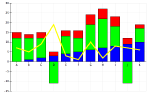
The developer that asked for the 'Zoom Reset' feature on the axes changes was testing this feature today and noticed that when changing the z-axis selection the data was all visible, but the zoom was not reset. Fair enough... any change means any change. So I added in the zoom reset for any change in the z-axis pick list.

Not too bad, and it's what he wanted. Given that I did this for him, it makes sense that he gets what he wanted.