Converting to Latest gfortran from Mac HPC

November 5th, 2007

xcode.jpg

In preparation for Leopard, I decided to see if the latest version of gfortran from the Mac HPC guys would build my thesis work. As little as about 6 months ago it wouldn't - there were issues with it that were supposedly fixed, but the build wasn't on the latest release. I stuck with g77 because it was Tiger (10.4), and it worked. But with Leopard using gfortran and no g77 port, it seemed like a good idea to get the latest gfortran and give it a try.

Interestingly, when I compiled it it compiled cleanly, but on linking I got the following:

    /usr/bin/ld: warning can't open dynamic library: /libgcc_s.1.dylib referenced
    from: /usr/local/lib/gcc/i386-apple-darwin8.10.1/4.3.0/../../../libgfortran.dylib
    (checking for undefined symbols may be affected) (No such file or directory,
    errno = 2)

I did a little searching and found that the solution was to change the 'install_name' (refer to a previous post about Xcode 2.4+ needing this) from /libgcc_s.1.dylib to something like where it's really located: /usr/local/lib/libgcc_s.1.dylib.

To do this simply go into /usr/local/lib and type:

    sudo install_name_tool -change /libgcc_s.1.dylib /usr/local/lib/libgcc_s.1.dylib
      libgfortran.3.dylib

(all one line). With this, the linking problem disappears and the code runs great. Now I know that I don't need g77 on Leopard. Nice. All we're doing is changing the 'install_name' in the gfortran library to have the complete path name as opposed to the simply leading '/'. Nice little tool to have around when issues like this come up.

Ever Closer to Leopard

November 2nd, 2007

Today I got two good pieces of news... first, PostgreSQL from Marc Liyanage is running fine on Leopard. Second, he's got PHP running on Leopard even if he doesn't have the package ready to install. It's getting closer. Ever closer.

I figure another week and he'll have it all buttoned up.

Another bit of good news, the Mac HPC guys have gfortran for Leopard going. They probably aren't going to get g77 going on Leopard, but so long as my code works on gfortran, I'm a happy camper.

Yup... I'd guess another week and I can get Leopard.

UPDATE: Marc's got it basically working as the Apache plugin, but there are a few issues with the command-line usage. So... it's getting closer, but not quite. I've got work this coming Saturday that will keep me from doing it then. The weekend after that, we've got the Philly Marathon, so I can't do it then. So, since I didn't get it this weekend, I'll have to save it for several weeks.

Creating a Hybrid Java Preferences Framework

November 2nd, 2007

Creating a Better FileSystemPreferences Framework

November 1st, 2007

BKit.jpg

I have spent the last few days - on and off, talking to a developer about the need for a global user Preferences system. The one that comes with most JDKs is decent but there's a problem using the one that ships with Windows - it uses the Registry. That's not the issue as much as that sets up the problem. The user preferences part of the Registry can be put in an unreliable state if you log into two machines and aren't very careful about what you're doing.

Imagine you have two Windows boxes: A and B. On these boxes you have an application - it resides on a server so it's up to you where you launch it. You decide to log into A and then B and launch the app on A. You move a few windows, make a few changes - basically change the Java Preferences values. When you exit the app, your changes have been written to the Registry on A. So far so good. If you logged out of B before logging out of A then the Registry will remain correct and the changes from A will be written to the PDC. But what if you log out of A first?

Well... your changes will be written to the PDC, and then when you log out of B you're going to have that Registry's state written to the PDC. You've lost your changes. No way to get them back.

This is a common problem for a lot of our users. They have multiple machines and we'd like to use Preferences as it's easy and clean, but there is this problem. On Linux/Unix this isn't an issue because the user Preferences are stored in your Home directory. Write it there and you're good to go. Login/logout order doesn't matter. But it does with Windows.

So we decided that it would be a good idea to use the FileSystemPreferences system that's used in Linux for Windows. The problem is that it's not available in the Windows JRE because it's not considered necessary. What a mistake. I've spent the day getting the source code for the FileSystemPreferences and FileSystemPreferencesFactory and creating BKit versions of them that are cross-platform.

That last part was the real key. The original source code for the FileSystemPreferences wasn't because it used three native methods that really didn't have to be used, but were used because they didn't take advantage of the NIO additions in JDK 1.4. I cleaned up all the code, got rid of the native methods, removed the silly XML dependency and used the PList work I had just done on the BKHashTree to serialize these maps to files.

In the end, we have something that's a drop-in replacement for Preferences that will work on all platforms. This means that we can point the user Preferences to a shared disk and so all flushes of the Preferences will write to the files and there won't be any problems like we're having now with the Registry. This is going to make things much nicer.

Adding the Ability to Customize the Legend in Graphs

October 31st, 2007

comboGraph.png

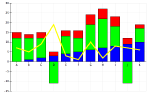
A developer came by today to ask me if it would be possible to add the ability to change the foreground and background colors on the Legend in the BKBaseGraphApplets. Also, he wanted to know if it would be possible to remove the border. Basically, he didn't like the grey background and the 3D border and wanted something that seemed to fit in the same plane as the graph itself. Seems reasonable, and after doing it, it actually looks reasonably nice.

Anyway, the work wasn't that hard - took me about an hour for the whole deal. But an interesting part was that you had to disable the 3D effect on the legend in addition to disabling the border. Seems the two are different visual objects. Nice of them, to add that level of customization. For now, however, turning the thing off or on is good enough.

Comcast and FTP

October 31st, 2007

I'm glad I no longer rely on Comcast to serve up my web site. They recently decided that the FTP TLS/SSL was no longer "necessary", and have removed it. Maybe it was part of the 'upgrade' they did, but in the end, it's gone and my tools are some lame web site uploader or unsecured FTP. If I have to put something up there, I guess I'll go the lame uploader, but I'm stunned that a group so intent on security to give away anti-virus software and spam blocking is not coming up with a better solution for secure FTP uploads.

Maybe they think all their people are too dumb to know. I'd hate to think that, but I can't come up with a reason to drop secure uploads via third-party apps. I guess I'll check back later and see if they have something - or maybe write them and see if they respond. Not that I'm expecting anything, but if you don't complain about poor service, you get exactly what you deserve.

UPDATE: OK, I sent a nice email to them asking for something - WebDAV with SSL might be very nice, but I'd take FTP TLS/SSL back. We'll see what they say.

Their response was almost automated:

Thank you for contacting Comcast Cable Bob.

I understand that you would like to have the option returned to allow FTP TLS/SSL for secure uploading to PWP from third-party FTP clients.

I have forwarded your comments to the appropriate members of our development and management teams for further review and action. We appreciate that you took the time to help us keep our commitment to quality customer care.

I do not really expect them to do anything about this - they have the silly web uploader, but if you don't ask for it, they'll never know that taking it away pissed off at least one somebody.

The State of Java on Leopard

October 31st, 2007

java-logo-thumb.png

Well... it appears that the current Java 1.5.0 on Leopard is not all that great. Add to this that there's not even a pre-release version of 1.6.0 available for the early-adopters to use and it makes a somewhat compelling argument to hold off on Leopard for at least a little bit until Apple releases the 1.6.0 JDK. I'm sure it's coming, Macs have been for the last several years the Java development platform. But with the fact that 1.6.0 never fully materialized for Tiger (10.4) and that it's not in Leopard (10.5) - yet, it makes those hard-core Java-types say that Apple is out of touch. After all, Windows uses the Sun-provided JDK and Apple insists on writing it's own.

But let's recall a few things folks... with Mac OS X 10.3 and JDK 1.4.2 Apple made the apps load very fast and run even faster. So much so that Sun asked to have a look under the hood to see how they did it. With each successive release of Mac OS X the bar has been raised. Unfortunately, right now, 1.5.0 is almost two releases back and 1.6.0, while not widely adopted, is widely available for a long time.

It's a matter of timing. I'm sure that within a few weeks JDK 1.6.0 will be out on Leopard and it'll be once again setting the standard for Java development platforms. There are just those that are hearing all the hype and cheering from the new release that they need to put it all in perspective - which isn't a bad thing, as long as it's not use to just knock things down.

Leopard is fine, it's new, and it's got a lot of differences, and I'm still waiting for PHP and PostgreSQL for 10.5 to be available from Marc Liyanage as they are the best packaged, fullest-featured, versions of those tools. When he's got time to update them, I'll move to Leopard. I'm guessing that by then I'll be updating to JDK 1.6.0, or soon after. It's just a matter of a few weeks. Have a little patience.

UPDATE: interesting note about Java on Leopard... is seems like the guy got a lot of press for whining about a specific application instance. In general, it's better and faster, but there may be times that you have to actually code against the defaults to get optimal speed. In any case, one less thing to worry about with Leopard.

Expanding PList Capabilities to BKHashTree

October 30th, 2007

BKit.jpg

A very long time ago I put in a simple plist reader to the BKHashTree so that I could read in the plist files off my Mac OS X system into a map of maps, as the BKHashTree is, and display them in a nice graphical tool that I was building. The GUI widget I created has found a lot of use in the code I've written over the years, and when talking to a fellow developer late yesterday it was clear that what we might really need was a full-featured plist reader. I remembered something about this, looked it up, and sure enough, I had the basics of this already coded up. While he had found something that looked to have all we needed, it had somethings we didn't need, and I wanted to take a shot at cleaning up the reader I'd made, add a writer, and augment the data types allowed in the plist file.

The first thing that was missing in my code was the list/array element. Basically, we wanted to be able to provide the user the ability to specify a list (Java ArrayList) of elements as simply as possible:

    {
        names = (Bob, Fred, John);
    }

It was pretty easy to see that the simplest way was to process the array as a single argument (value, in this case) to the routine that I had that picked the correct object type of the element and made it available for placement in the Map. This worked for a while, but pretty soon I ran into serious limitations. What I needed to realize is that the array processing is very similar to the map processing - just with a series of values as opposed to a series of keys and values.

This was a major simplification in the code. I had a map processor and an array processor and they called each other. Should one of the elements of an array be a map, it passed control over to the map processor, which returned a Map to place in the array. Likewise, if the map processor hit upon an array it sent the code over to the array processor which returned an array that would be used as either the key or the value. Very nice. It was only at the very lowest level that we needed to look at the elements and determine the data type they were.

The next thing to do was to add in the URL and binary data types. The URL was pretty easy - it's a string with '://' in it and no spaces. The binary data was a string starting with '0x' contained within <> like this:

    {
        password = <0x347ab0ef21>
    }

There's still the limitation that there can't be a space after the '<' and before the '0x' because the BKData needs to look at the string it's given as starting with '0x', but that's something that I can fix without too much trouble - should it become a real issue. Right now, I can't imagine what we'd use the binary data for except passwords, and those we wouldn't be hand-edting because they'd probably be encrypted or at least Base64'ed.

The final thing I worked on today was the writing of the data and while the writing itself was easy, making it look decent when written wasn't. I tried to balance the ideas of putting individual items on a different line and making it look more readable by putting small arrays, etc. on the same line. I know it's not perfect, but it's very readable now and that's enough. It's not meant to be a beautiful output- only functional.

This all got started because we wanted to have a distributed Preferences system in Java that didn't have the current limitations that the current crop of Preferences Factories has in Java. More on that tomorrow.

Initial Leopard Reviews

October 29th, 2007

Apple-logo.jpg

This morning a ton of reviews are out and, as I expected, all over the map. There are install problems and people with the same hardware with no install problems. There are people loving the new interface and others hating it for the same reasons. There's no way to please everyone, but Apple has done a good job by all accounts, and an excellent job by some.

The Ars Technica review is nice, balanced, reporting of the pros and cons that you can expect to see in the first week of use. Even they agree that there's no way to review an OS in one shot, so they look at the high points. Fair. They spend more time than I would on the visual elements, but that's what they do, so no big deal.

There have been a few others that I've read that are totally taken aback by one little thing that they state they'll refuse to use it. The Dock is a lightening rod... Java 1.5.0 is another... Ruby is yet another. I mean really people, is this all about one little feature? Sure, it'd be nice if they had made it easy to change the Dock's visual appearance, but they did allow you to revert it in the defaults system. Sure, it'd be nice to see 1.6.0 on Leopard, but they have 1.5.0 and there aren't that many apps/applets/servlets that I've seen that require 1.6.0 because it's not really that widely adopted yet. Sure, they added Ruby on Rails, and it might have been nice to put in the very latest Ruby, but they went for stability.

In all these cases, people are mad because their pet project or tool isn't as well supported as they had hoped. Given a little perspective this list isn't bad. Java will be updated, Ruby will be updated, life goes on. I'm just sifting through all the reviews looking for real issues that might make me delay my conversion more than a few weeks.

Leopard-specific Updates To Do

October 29th, 2007

Apple-logo.jpg

I'm getting ready for the update to Leopard (10.5) and while I'm updating all the apps that I have before I update Leopard, there are some that need to be updated after. Here's my list of things to update after I get Leopard on my laptop.

  • Forty-Two DVDVX Plus v3.2 - this is the nice DVD ripping software that has made it so easy to get a few of my DVDs into iTunes for the road. They are saying that version 3.2 is for Leopard only. I'll wait for this as I don't have any ripping I plan to do in the near future, and if so, I can wait until after the upgrade to do it.
  • Lingon - this is a launchd GUI tool for Leopard only. I've not used it a lot on Tiger, but in the event that I need it, it's been there. Typically, I just get down into the files and restart the service, but it might be helpful if I come across a need.

As I find more things to add to this list, I'll expand on it. For now, it's a placeholder of the specific updates I need to do and that's good enough.