MacVim Snapshot 33 is Out

July 13th, 2008

MacVim.jpg

While on vacation, the great guys developing MacVim released another update - Snapshot 33. There are a lot of changes, but I didn't take a lot of notes as I was in a Disney World resort at the time. I got the update, and if you're interested, you should too. I think this is the best Vim implementation I've seen and it's certainly the best Vim on Mac OS X.

Why Not Stay a Do-er?

July 3rd, 2008

PHB.gif

I have been working on a problem for the last few days at the Shop - a pricing data issue, and in the past I've worked closely with a good guy in another group to solve these issues. He's a great guy, in fact, always there to help me and we support each other's causes - when he needs to get something going for me, I tell him exactly what I need, and he scrapes it together... when I have a problem with his stuff, I don't scream and rant, I give him a good bug description and don't hassle him constantly for a fix - I know he's on the case, and he'll get it to me as soon as he can.

So yesterday I wanted to ask him if he got the trace data necessary for the problem we're looking at. He said he'd given it to the support team and that he'd check with them and if they haven't gotten it fixed, he'd step in.

He's become the manager.

Why?

I know it's The Corporate Ladder, and you're expected to climb it. It's not called the corporate couch or something, but still - why?

He was (is) a good guy, very talented at what he does, and still he wants to move to a position where he's not sure he's good at it, and not sure he's interested in getting away from the coding, but he still makes the move. And he's not alone... I know most people would be doing exactly the same thing in his position. But I still don't understand why?

I've managed - in fact, this is the first position where I'm not managing since getting out of college. I've owned my own company, I've done the corporate ladder... it's just a ladder that never ends. Never. You'll climb and climb, and then get on another company's ladder and climb there, and for what? Money, Power, Glory? OK, it's nice to have money, but after a point, isn't job satisfaction important as well? When you're coming home to your family, don't you want to say "Hey, I did this today!"?

I know it's not popular, but I like building, and doing, and would rather not talk about it to death. I'll be glad to talk about other people's achievements - great tools and projects I've seen and been a part of... but to do nothing more than be the classic Dilbert Pointy-Haired Boss.... No thanks. I want my life, and here I'm talking about my work life, to be more than that.

MarsEdit, WordPress, Flickr, Skitch and Blog Images

July 2nd, 2008

MarsEditIcon128.jpg

One of the really nice things I like about MarsEdit and WordPress is the ease with which you can put images into your posts. Sure, it's not rocket science, but there's writing the image tag and then there's point-and-click. I like the latter when there's a really nice interface. So I've been doing a little experimenting with the image options with MarsEdit.

There's the images that you upload to WordPress, and that's OK, but it has a limit on the upload of only a few kb. It's not horrible, but when I was trying to put up 20kb images it often times didn't work, and it's probably as much to do with the connectivity as anything else - but this is the connectivity I have, and if it's unreliable, then it really isn't a matter of why as much as it's a question of how to get the images up to the site?

Skitch.jpg

Many months ago I read about Skitch, and watched the demo and thought Hey, this is sweet! and signed up for an invititation. After a few months, I got an invite and have been using it ever since. It's been a simple way to take iSight pictures and screen shots and get them up to a place where they can be saved and served.

Flickr is the same kind of service (so I thought) and so I was recently looking at the different Flickr clients - settling on 1001 as it seemed to be a nice small app that did what I needed and didn't make a big deal of itself. The wrinkle with Flickr was not Flickr - but MarsEdit. When you place an image into a post from Flickr you get a 'mini' version of the image and a link to the Flickr page where the image resides.

This is OK if you're really wanting to forward folks to Flickr, but if you want to just display images in your posts, this isn't the best thing because the way it's integrated in MarsEdit. However, if I put the screenshots up on Skitch then I have to go to the Skitch page to get the URL and then paste it into the post in MarsEdit. It's like I have to do the work up-front or force the readers to do it on their own.

Neither is ideal. So I posted a request to the MarsEdit forums about adding Skitch support. Ideally, I'd be able to put something on Skitch (like I can in Flickr) and then MarsEdit can preview those images and I can include the links easily - but as regular images and not links to pages with images.

Daniel wrote back about the future plans, and if he does the plug-in I think I'm going to have to write a Skitch one as this is just about the neatest little snap-n-share application and service I've ever used. If you haven't seen it, take a look.

Large Java Applets are Buckets of Grief

July 2nd, 2008

java-logo-thumb.png

I've spent the better part of this day trying to track down a nasty little bug in, what I think, is Windows XP IE/Firefox and the Sun JDK/JRE Applet plugin 1.6.0_06. Now I say trying because I thought I had it fenced in to a certain set of repeatable conditions, but when I went back to check them after about an hour of running other tests, they failed me and the problem vanished. Crud!

The problem seemed to be a combination of using WebStart and a specific application off WebStart, and other Java apps on my box, and a web page that uses two fat Java applets to display data. One is a table of data, the other a graph of the same data. When I went to the web page, after running the WebStart application, IE (and Firefox) would lock up. Totally locked up. Not good.

I dug into this and have come to the conclusion that it's a combination of running this app pn WebStart, possibly the applet JRE version, and certainly the loading order on the page(s) in IE. If I go to the 'problem' page first, I get trouble - keep all else the same and going to another page first means that I can safely go to the 'problem' page later. Very odd.

When I went to change the version of the JRE that IE uses in it's applet tags, I found it exceptionally hard - as opposed to something like Mac OS X has where there is a little app that controls the version of the JRE used for applets. It's these little things that really frost my cookies with Java and Windows.

Anyway, I'm spending my day not really accomplishing anything because of these large applets and IE issues. I understand that sometimes it's nice to have applets to have a limited interactive functionality, and applets are great for that. But when the applets get to the point where they are causing as much grief as this, then you've overextended the design goals of applets. They become apps and that's what WebStart is supposed to make easier to deploy.

UPDATE: after another hour or so of fiddling about, it turns out that if I use JDK 1.5.0_15 and that's all, then I'm OK. If I even install JDK 1.6.0, it's going to take over the applet duties for IE - no matter what the settings in IE say. This, then causes the problem and we get the lock-ups. If I didn't need JDK 1.6.0, I'd be OK, but we need to have Java WebStart, and the 1.6.0 version is what we're standardizing on there. This means that for now, we leave the users on 1.5.0_15 and when we have to update to 1.6.0 for the WebStart for the users, I'm sure hoping that we have a newer version than 1.6.0_06 - with a fix for this crummy problem.

I hate big Java applets. Make an application, for heavens sake! Or switch to something like AJAX, or live with the page refreshes! It's not meant to do this.

UPDATE: HA! I found a bug report at Sun where several people were complaining that they had applets that worked fine in 1.4 and 1.5, but with 1.6.0_06 they were having a lot of troubles - just like me! Sun's idea was to try 1.6.0_10 (beta) and see if that didn't fix the problem. So I downloaded the two-part JDK/JRE and BINGO! that fixed the problem. Guess Sun's had this quite a bit, and fixed it. Good enough. I still think we're pushing the limits on the applet design and we need to come up with a completely different client footprint design - AJAX and Javascript frameworks or a full-up client.


ICQ, libpurple, and Adium Updates – It’s Wacky

July 2nd, 2008

Adium.jpg

Yesterday afternoon I noticed a message from Adium saying that it could not connect to ICQ because the version of libpurple had expired. That's odd, I thought, and checked then for an update to Adium to see if I had missed something. Nope... no update. Since I don't get a lot of chats on ICQ, I figured that there was nothing to do, and I let it go.

This morning, Adium 1.2.6 was available with (surprise) an updated libpurple so ICQ is once again working. I got it and everything is fine.

What surprised me the most, I guess, was that an open source library would expire like that. Maybe it was the protocol at ICQ that required it, but it seems so counter to the open source ethos that it should expire. Very odd. But... I have to say, the Adium folks were on top of it quickly. Good enough.

Cleaned Up a Few Things on the ScatterGraph Z-Axis

July 1st, 2008

comboGraph.png

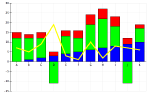
Today one of the users of my scatter graph - the guy who asked for the pseudo-z-axis capability, in fact, asked if I could make it a little easier to understand what was happening on the z-axis data, so I decided to take a swing at it.

I was really surprised to find out that by simply putting a border on the group of z-axis widgets, and moving the buttons from below the list to the right side of the list, I could get something that really looked good, and didn't take up more vertical screen real estate than the old way of doing things.

New z-axis grouping

The result (above) is something where the z-axis is clear (FTSector), and the values are easily seen, and the inclusion is easy - All or None. I have to say that I think this is a big improvement.

Also, I'm trying out the posting from Skitch for the screen grab. There have been a lot of times when I wanted to do this, but didn't want to mess with it in my WordPress install. So we're going to see how this goes for a while. Not bad, so far...

I Think Joel is Wrong on this One

July 1st, 2008

blogs.jpg

I tend to agree with Joel, of Joel on Software fame, but today there's something he's saying that just isn't right. His point is that you should not hide or disable menu items because there's no feedback to the user why they can't use these, if they can see them in the case of disabling, or not see how to do something in the case of hiding.

While I can understand his logic, I have to say that I think he's taking an extreme point of view to try and make the point. His point is that your application should be easy for all to understand. And to that, I agree. However, it might be a lot easier to understand if the menu items were grayed out if the actions we're allowed. As Daniel J. points out in this rant, there's a lot of ways to indicate why without having the user try something and then be greeted with a message box saying "Hey, no can do".

It's a question of usability and your users. On a Mac, the average user is going to expect that applications behave a certain way - including having disabled menu items. On this platform, if you don't disable a menu item that is illegal in a certain context, the users will think it odd, and say it's a bug. And it is. For this platform. On some other platform, maybe not. But I think it's going to be tough to really make hard and fast rules like this without looking at the environment and the expected users.

Getting a Secure Web Server (https) on Mac OS X 10.5

July 1st, 2008

WebDevel.jpg

I found this article on MacOSXHints.com about how to set up the default Apache web server with https functionality along with the standard http service. It references another hint that really does all the work of creating the certificate, and this hint is really just how to use that certificate with the latest Apache2 that's on Mac OS X 10.5.

It took me all of about 10 mins. to get the files created and then a few minutes to fix up the Apache2 config files. Pretty nice, really. I haven't done any https work in a few years, but I remember it being a lot more complicated than this to get Apache configured for the SSL work. The certificate was always about a half-dozen commands that you never remember so you always look them up and do it once every ten years or something.

I'm not sure if this is a big deal, but it's nice to have the option again of being able to do some https work, if I need to.

Mac OS X 10.5.4 Released

July 1st, 2008

Leopard.jpg

This morning I updated to 10.5.4 on my MacBook Pro. There are security fixes in Safari, a few things for Safari, and a few things for the new MobileMe (was (dot)Mac) and the iPhone Store in iTunes. I was pleased that they put in the fix for Spaces and the Finder window focus, but I'm not sure if the faster Javascript engine is in Safari now, or if that's targeted for a later release.

I'll have to update my iMac and the kids' MacBooks one of these evenings, or this weekend. I'm not sure they'll see any difference - I haven't yet, but for all the web surfing they do, the added security fixes will be a very good thing.

Funny Video about IT Support

June 30th, 2008

cubeLifeView.gif

I found this movie on Daring Fireball, and I have to say I've laughed hard each time I've watched it. It's not that I'd have played either role in this clearly fictional interchange, but it's so typical of many of the interactions between non-technical folks and the IT folks.

The vocabulary miscommunication... the reboot that turns into a power-cycle... the mistaken power-cycle... the remote desktop session... it's all just too funny when put together in a short format like this. Really quite impressive. I watch this with my wife, and while she didn't understand all of it, she understood enough, and was amazed by the 'Exchange Gymnastics' so that even she laughed quite a bit.

The icons are a laugh all by themselves.

If you have ten minutes, and are in IT, watch this. Incredible.