Starting to Work with 29West – Interesting

May 20th, 2009

servers.jpg

Today I've spent a lot of time adding a new way of getting data into my web app. The Shop has standardized on 29West, and I've seen it in a lot of the smaller shops, but there's got to be something more to it... cost... performance... something because Tibco is the 800lb Gorilla, but not used in a lot of the shops around town. I'm guessing it's cost. 29West may be a lot more reasonable. In any case, it's different from the majority of messaging systems I've used in the past in that there's no central messaging server. You don't connect to a server and then get a topic. Instead, you simply connect into the system and then find your topic.

It's interesting.

It's using some multicast/broadcast system to talk to the other 29West clients on the network. You connect in a machine-to-machine scheme - publisher to subscriber. It's going to be more efficient with network switches as there's no single point that all messages have to go through. Makes sense. Looks a little like magic to simply "find" the publisher, but that's good coding for you.

If there's a downside, it's in the way you have to set up the communications. It's pretty nasty. You have to create a context attributes and then populate that with configuration values, and then from there you make a context, and then a context thread to handle the socket maintenance so you don't have to do it yourself, and then you find your topic for this context, and then either a source (publisher) or receiver (subscriber) for this topic and context.

It's all needed for maximum flexibility, but really... if you're going to make it look like magic, then why not just do the context, have it take a simple map of attributes - or nothing if the defaults will do, and have it fire up a thread. Then it's find the topic and you're off to the races.

You shouldn't need to make a source or receiver... those should be done in the context, or topic. Send and receive... can't get a lot simpler than that.

I was talking to one of the 29West guys here in the Shop, and it became much clearer to me as to why it was this way: 29West is C libraries and every one of their APIs are just shells onto these C libraries. In that case, it makes sense to have a not-very-object-oriented view of things. Reasonable, and you only need to code it up one.

I haven't had a lot of experience with the performance of it, but I'm guessing I will in the coming months. For now, I'm glad I have test sources and test receivers to make sure I can move messages around - box to box, window to linux, all that. Tomorrow I'm going to have to deal with a few nagging things about the impact on Tomcat, and see if I can't get data from the guy sending it to me to me.


Interesting Programming Font: Inconsolata

May 19th, 2009

GeneralDev.jpg

This morning I was reading this article about favorite prgramming fonts, and I have to agree with the list. It's really amazing that the author and I have seemingly traveled the same font path from Monaco to Panic Sans to Consolas. But he had one I hadn't seen - a variant of Consolas (it appears) called Inconsolata. He likes it over Consolas because it's free, but I have to say, in addition to that little 'plus', the biggest difference I like about it is the native spacing. It always seemed to me that Consolas had a little too much line spacing. Inconsolata solves that problem.

So have a read and see what you think. You can download Inconsolata and try it. Worth the time.

Today’s Lesson: Always Specify Widths in HTML Tables

May 18th, 2009

WebDevel.jpg

I've been working on a few pesky HTML/CSS layout issues today and finally got them worked out. If you don't specify the widths of td elements in the page, then the browser is going to attempt a rough layout on the screen and then after it's all up there (placed), it goes back and does the fine-tuning on the location to move it to it's final location. Most times it's not a big deal, but when it's little movements, it's sort of annoying. I had a few of these today.

The lesson: specify everything. Don't make the browser figure anything out. Do it all beforehand and then you won't get this secondary movement.

What I had was a table with several things in it, and since the page was largely static once it was loaded (AJAX refreshed the data) it wasn't a huge deal, but it was annoying and I wanted to make this app as smooth as possible.

I started with defining the widths of the td elements. Not bad, but still not all there. Then I did a few more. And a few more. In the end, they were all specified, but still I was having movement on one page.

Then it hit me - maybe it was the table's cellspacing and cellpadding. So I used 1 for the padding and 0 for the spacing and then took into account the padding on all horizontal calculations. Bingo!

The HTML docs say the default is 0 for both these, but that's not what Firefox and Chrome were using. With these values and carefully counting all the pixels, I get exactly what I want.

It pays to be precise with layout.

Now it's perfectly set up initially and there's no secondary move. Just what I was hoping to have.

Adium 1.3.4 is Out

May 18th, 2009

Adium.jpg

I noticed this morning that Adium 1.3.4 is out with fixes for Facebook, Jabber, and a new libpurple. At the same time, I was surprised to see that Adium was using Mercurial for source control. It's one of the significant distributed source control systems, but I hadn't heard of it being used for Adium. Interesting.

Anyway, it's a nice update, and since I use it all day long, every day, it's something I need to keep up to date.

Fun with Simple JavaScript Queues

May 15th, 2009

SquirrelFish.jpg

I was adding a few things to my web app today and needed to implement a simple FIFO queue in JavaScript, but didn't need a fancy class. Thankfully, the JavaScript Array has everything I need. There's already a push() and pop() which make a LIFO queue, and if you use shift() you get the first element in the array which makes it a FIFO queue. Pretty sweet.

But the really cool part was making a queue of complex data structures. Sure, you can make JavaScript objects, and push() and shift() them, but you can make a queue that has multiple queues in it and then in your own push() method, you push the different parts onto the different queues.

Say I needed to have a queue of names and sizes. I could have the code at the top of my page:

  var  myQueue = { name: new Array(), size: new Array() };

and then later have the method:

  function push(name, size) {
    myQueue.name.push(name);
    myQueue.size.push(size);
  }

So that if we need to process what's in the queue you might say:

  function processAll() {
    while (myQueue.name.length > 0) {
      doIt(myQueue.name.shift(), myQueue.size.shift());
    }
  }

This is a really slick little way to handle data structures. This isn't real rocket science, but it's fast, simple, and for my application, it's just what I needed. Make a queue, populate it with event data, and then process them en masse.

Not bad.

Struggling with Visual Studio 2008 and Scripts

May 14th, 2009

Csharp.jpg

Today has been a day of struggling with Visual Studio 2008, C# and VBA scripts. It's not my favorite suite of tools, but I didn't get to pick them, and there was a bug that needed to be fixed, and this was the easiest way to fix it.

There's a Windows app with an exposed COM interface and the VBA script 'talked' to it and set it in a state ready to do some work. Then the C# app hit it and did the work, but the end result was that the numbers weren't right. So I had to find out what was wrong, and why.

To it's defense, Visual Studio 2008 is a decent windows development IDE. It's got all kinds of nice things to make it easier to develop and debug an app, but it's the fact that I've been away from Windows for so long that getting back into it is just painful. There's no gdb and make, and it's C# as opposed to Java or C or C++. So it's a struggle for every little thing.

In the end, I was able to set breakpoints and see that the values weren't what I expected. There was a bug in the VBA script and the value folks thought were defined, really weren't, and so were assumed to be zeros by VBA. This caused all kinds of problems, the upshot of which was the numbers were wrong.

By defining the enum values in the VBA script, all of a sudden everything worked. The C#, the underlying app... it all just worked. All for the lack of a few undefined variables. I had wondered where these were defined, but the answer I kept getting was "in the DLL". I had my doubts, which is why I was able to see this problem, but it's just another reason I'm not fond of Windows programming.

Life would be so much simpler if I could code on my Mac all day long. Or linux... that's not horrible, but it's not as sweet as the Mac.

VelaClock 2.1.13 is Out

May 13th, 2009

VelaClock.gif

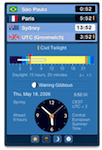
Well, if I lived in Egypt or Pakistan, I'd really appreciate the update to VelaClock to 2.1.13 as it fixed the Daylight Savings Time rules for those countries. Since I live in the US, it's just a fun update to have, and not really that necessary.

Got it for the fun value.

DrawIt 3.7.8 is Out

May 13th, 2009

DrawIt.jpg

To continue the update frenzy, I noticed this morning that DrawIt was updated to 3.7.8 and it's meager update notes say:

  • Resize handles are now visible and working outside the document canvas
  • Fixed a bug in the Cut-Bounds function

Again, nice, but it's a pretty rock-solid app already and I haven't run into problems with it. Great drawing tool to cover what Acorn misses.

Acorn 1.5.3 is Out

May 13th, 2009

acorn152.jpg

This morning has been a bonanza of updates. When I restarted after the 10.5.7 update, I noticed that Acorn had been updated to 1.5.3 - and I had to get that. The update notes say:

  • No longer clipping off the corners of custom brush images, when you rotate the brush in the Brush Designer.
  • Cleaned up some drawing artifacts when making selections while zoomed in.
  • The 60pt Flat Spatter 60 brush now picks up on the current color, instead of being just black.
  • Selecting "Crop" from the Image menu now sets to current tool to the crop tool (but only if there's no selection to crop already).

Sounds nice, but honestly, I hadn't run into any of these issues, but it's great that he's still working on it.

Safari Beta 4 Update is on Software Update

May 13th, 2009

Safari.jpg

Once you update to Mac OS X 10.5.7 you can then hit Software Update, and if you've installed the Safari 4 Beta, you'll get the update with the security patches, etc. This brings Safari 4 up to 5528.17, and I'm sure that means something, but it's the latest and it works with 10.5.7, and that's what I'm looking for.

Good enough.