
Why Glossy Can’t be the Only Answer

October 15th, 2008

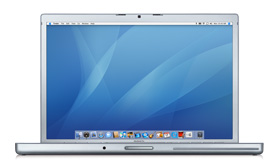
product-15in.jpg

I couldn't have said it better myself:

While Apple sees only the upside of glossy screens—bright and vivid colors—I see only the negative—myself. Well, myself and whatever else happens to be above and/or behind me. All those vivid colors come at a terrible cost in terms of reflection and glare—there are times when the screen is nearly invisible, due to the glare from overhead lights or other sources of distraction (people walking by behind you and so forth).

I know that if the new MacBook Pro was in 17-inch and had everything else I wanted, I'd probably try to get by. But given that it misses so many of my key points, I'm with Mr. Griffiths - I'll hold off for now.

Elegant and Robust Cocoa Initializers

October 15th, 2008

xcode.jpg

I was reading NetNewsWire this morning and one of the feeds had this article on the best way to write Cocoa initializers. I have to say that I didn't know it was possible to have the self re-defined in the super's init method. That certainly does change things.

His default initializer code is elegant and robust:

  - init {
      if (self = [super init]) {
          // set up instance variables and whatever else here
      }
      return self;
  }

or, if you're into trapping errors like I often am doing, you have the 'negative' of this method:

  - init {
      BOOL    error = NO;
 
      if (!error) {
          if ((self = [super init]) == nil) {
              // flag the error and log the problem
              error = YES;
              NSLog(...);
          }
      }
 
      return self;
  }

When I looked back at my initializers for a few projects, I was stunned that I have the exact same code as he did. I thought I had forgotten the self could change, but I hadn't! I'm amazed at myself. This is a wonderful little surprise.

If in doubt, read the page, it's full of good reasons for the checks. Hot Dog! I had it. Sweet.

Calc Board 1.6 is Out!

October 15th, 2008

CalcBoard.jpg

There aren't a lot of Dashboard widgets that I really use a lot - but I have to say, Calc Board is one of them, and today they released Calc Board 1.6 which includes the ability to resize the board as well as change the font and save the contents to the desktop. It's a very nice upgrade.

The interface is simple, clean, has great features. It's just a great little application.

Blender 2.48 is Out!

October 15th, 2008

Blender.jpg

I started playing with Blender several years ago on my SGI Indigo2 High Impact and it was impressive. Those were the days before it was bought by the community - which, to me, remains one of the great stories of the internet age: a company can't support the product any longer, doesn't want to give it away, sets a price and the community gets enough donations to actually buy it. Amazing.

Anyway, today they released Blender 2.48 and I got that for my Mac. It's an amazing app, and like Photoshop, it takes an amazing artist to create something nice on it. I am not that artist. However, I want to be, and someday I hope to have the time to work on it. Which is why I keep updating.

Updated iConquer to 2.4.6

October 14th, 2008

iConquer.jpg

I hadn't pulled up iConquer recently and for some reason I decided to run it and see if there had been an update. Sure enough, there had! iConquer 2.4.6 downloaded and I installed it. I had a very hard time finding the release notes, but I'm guessing it's general updates for little bugs in the code from OS X 10.5.5, or some bugs found by the users.

In all honesty, I've been way too busy to play a game, but I do like it every now and then, and maybe with the bad news from Apple today, I should have taken the time to play a game to cheer me up. Oh well... no time now.

Pretty Disappointed at The News

October 14th, 2008

keynote_sm.png

While I wasn't totally taken by surprise, I was really bummed out that they didn't update the 17-inch MacBook Pro today. While I can understand the merging of the notebook lines into a single, more easily managed product line, I have to say that the fear of losing the 17-inch MacBook Pro is very real to me, now. Very real.

This question made it clear that the 17-inch as it was is not long for this world:

[11:01 AM] Q: Concern about the glossy screens. Are you going to offer another option?

A: Steve: We're going all glass -- we won't offer another version. Phil: You offset the reflection by the brightness, and consumers love it. One of the great things about a notebook is you can turn it however you want!

From this, it's clear - glass all the way. I can understand why they do it, but I have to say that the line about being able to move the screen to remove glare is bunk. If that were the case, then they'd never sell a matte finished screen, which I know is not the case. So they are consolidating the line. Plain and simple.

Normally, I might not mind, but the problem is in the trade-offs. I wanted more in a laptop - quad-core CPU and 8GB RAM -- found in PC laptops should be available for the mobile desktop 17-inch MacBook Pro. The problem is, the 15-inch machine has different engineering trade-offs than a 17-inch where weight, and size, is not as big an issue. I mean face it... if you're carrying a 17-inch laptop, then you have expressed a desire for more features at the expense of size and weight. For the 15-inch, it just wouldn't be the same.

I'll admit, I like the trackpad concept. I can even probably live with the glass screen. But I am (probably) hoping against hope that they are going to update the 17-inch to have the same basic feature set and not discontinue it. Face it... the "Classic" iPod is on it's last legs as well... it's certainly understandable if they drop the 17-inch like they dropped the 12-inch Powerbook. Crud.

I'm still hoping they don't. I'd love to have a new 17-inch MacBook Pro with desktop power and a great trackpad.

UPDATE: I finally got into the Apple Store and checked on a few things. Seems the 17-inch -- even with the refresh, is not going to be around long the speeds available in the 15-inch are 2.53GHz and 2.8GHz while on the 17-inch they are 2.5GHz and 2.6GHZ - clearly a previous generation chipset. It's not going to be long before I know if it's refreshed or dead. Hope it's the former.

The Return of an Old Favorite – iTerm 0.9.6.1012

October 14th, 2008

iTerm.jpg

In the days of Mac OS X 10.4 - when the Terminal.app didn't have tabs, I was a big fan of iTerm. But when OS X 10.5 arrived and Terminal.app had tabs and workspaces and seemed to be just as nice, then I stopped using iTerm and went back to strictly using Terminal.app. But it hasn't been perfect. iTerm has much better control of the rendering of the window than Terminal.app does, and while speed is no longer an issue, the ability for iTerm to remove the scroll bar from the window is still a big plus to me.

I've tried several hints off the internet to remove the scroll bars on the Terminal.app windows - even going into Interface Builder and seeing if I can remove them there. Unfortunately, no. It's not something that's supported any more. I can see the reason - the resize handle. If you want to have a resizable window then you need to have the resize widget. If you have that, then it's going to have to exist in the left border or the bottom. So you might as well have it in the left and not make problems for yourself.

Of course, iTerm solves this by simply removing the resize handle with the scollbar. If you're going to be looking at an undecorated window then chances are you're a guy that's going to set the size of the window and leave it. I can see the trade-off. I just wish Apple agreed and put something into Terminal.app to remove the scroll bar and resize widget.

Until then, when I really want to have a terminal window without the scrollbar and resize widget, I'll pull up iTerm. With the new version, it's better than it was, and maybe worth another serious look. After all, for all of 10.3 and 10.4, I used it instead of Terminal.app.

UPDATE: I started playing with it again and I have to say I'm a little disappointed in iTerm - it's memory usage with one window open is more than Terminal.app with nine windows open. While I'd really like to skip the scrollbars, and I will still keep it on my box, it's not worth the memory footprint. Shucks.

I Can Only Hope the Rumors are Wrong

October 14th, 2008

product-15in.jpg

The latest rumors I've heard about today's Apple notebook event is that the new MacBook Pro is only coming out in the 15-inch display - and that's no longer available in matte finish - gotta be glossy. The 17-inch model will see only modest memory/disk increases and the speculation is that this model is being phased out.

If so, it would be a tragic turn of events.

For the serious professional wanting a portable machine the Air is nice and light - great for the CEO or someone not needing a ton of power or options. Perfect market. The 15-inch Pro is great for the mid-range developer or a developer with an external monitor at work, and only needs to use the machine as a laptop a fraction of the time.

But the 17-inch Pro was for people like me - no desktop machine, no external monitor - it was the "desktop replacement" and that was all I would need. I don't need the rumored fancy trackpad - but it would be nice... I don't need to have this thing be 2.2 lbs - it's OK at it's current weight. What I wanted was more machine. I wanted the quad-core chip with 8GB RAM and a nice big, bright display. This is my only machine, after all.

So if these rumors are true I'm really disappointed. It means that it's going to have to be a 15-inch Pro for me, and that means that I'll probably never get the quad-core chip as it's just not in the market segment of the 15-inch Pro. They wouldn't trade the power consumption for the processing power because most folks would already have a desktop that is where they do all their really intensive computing anyway.

So I'll have to wait and see what comes of the announcement today. Since they don't stream them anymore, I'll have to wait until it's over and then check the Apple web site and see what they have to say.

Getting Folks to see Their Work Objectively isn’t Easy

October 13th, 2008

cubeLifeView.gif

Today I had to clean up a mess of code that another developer made. He started with a xmlrpc python server/script that a co-worker wrote, and modified it so that it wasn't really working anymore. I then fixed that up to work, but didn't work on optimizing it for speed. I just needed to get it working first. Then, as I worked on a simpler case to get the speed up, he worked on adding a few features.

I finally got an sub-set implementation that promised to have a solid improvement in the speed and put the changed code into my version of the server. He tried it, but the changes he'd made on his end had been too much to work as-is, and he asked me if I could retrofit my changes into his current code base. I had a look at it and the code was a horrible mess.

This guy is not a trained developer. In fact, his development experience is really scripting for the last several years and that's it. No real significant formal training. He's typical of those developers that hack, print variables, hack some more... copy/paste... never really trying to see what he's doing and try to have a cohesive body of code. But in the end, more times than not, they hack something together that technically works.

I spent over two hours this morning cleaning up his code to get it into a maintainable state. Not adding new features, mind you - just cleaning up the crud. When I told him this was a mess, he got quite defensive, as I expected he would. It's something I've run into time and time again. People know the truth, but they want to deny it because "it works".

Well... it may work, but it's a mess. It's not maintainable. It's going to get worse and worse until at some point it'll be impossible to make a change to it. It's brittle, overly verbose, and lacking any real design. In short, it's a disaster waiting to happen.

I don't enjoy saying it's a mess to people doing the best they can do. But in the end, if they don't see it themselves, someone has to tell them or the overall product will suffer. And suffer badly. It took about twenty minutes but I talked him back from his anger/defensive position, so that he realized that I wasn't commenting about him, only the work. He needed to call in help earlier to minimize the work in this kind of merge. I'm not sure he got it all, but I'm hoping he did... at least enough so that he asks earlier next time.
Interesting Bugs in Implementation of Customer Bits

October 13th, 2008

SwissJupiter.jpg

I'm working with a vendor's product where they have kindly created the possibility of adding customer-specific fields to each object in the database. It's a nice touch, and if done correctly, it makes the system very flexible and expandable, but if it's done wrong, it can make the system horribly slow and difficult to deal with.

Yes... I know... it's easy to see which this one is.

But to the point at hand. Each of these Customer Bits is tagged with a datatype and what object (both type and instance) it belongs to, etc. The interesting thing is how to add a lot of data to the system very fast. If we need to add in the base object and then, say, a dozen of these bits, then we need to do it all very fast - if it's going to be on something like tick processing, or trade processing. You get the picture.

So today I learned through the School of Hard Knocks, that when adding these bits to an object, you can add them one of two ways: individually, or in bulk. If you add them in individually, you're basically adding the base object, committing it, and then one by one, adding the bits, and committing each as you go. If you add them in bulk, you're creating the base object and all the bits and then committing just once.

What I learned was that if you take the individual approach, the data you place in the bits doesn't matter - specifically, you can place an empty string in a bit and it's all OK. But if you try to do it in bulk, you get a very cryptic error message that it's clearly tied to the bit you're setting to an empty string.

So it's an easy fix - once you know the problem. Simply don't allow setting bits to empty strings. But you'd think that this shouldn't be a problem in the first place. But there you go thinking again.

UPDATE: I heard from a developer deep in the Vendor's shop and he said that there was a bug report about this already and the answer was to disallow all empty string usage in the bits. That's certainly one way to handle it.