Archive for the ‘Everything Else’ Category

Interesting Developments in Gimp on OS X

Thursday, January 8th, 2009

Gimp.jpg

I was looking at the latest from Gimp for OS X this morning and I realized that it requires an updated X11 install for OS X. While I might not mind that, I just ordered a new box, and with Snow Leopard on the way it's just not something I'm going to hassle with and put my box in an odd state over.

So I went back to the GIMP.app site which has the native port of Gimp for OS X. This is interesting to me because I think that the native port beats the X11 one because it fits in better with the rest of the applications on the box. Not that I have anything against X11 - it's just that if I had a choice, I'd go native.

Well... with the move by the Gimp on OS X folks to use the non-standard X11, the native port is getting my attention. While it's on 2.6.0 and the other is 2.6.4 (the most recent stable cut), there's a lot that can be done in 2.6.0, and it actually runs on my box without the new X11 libraries.

I'm wondering if the GIMP.app guys have given up, but if that's the case, then the only long-term way to get Gimp on OS X is to use the non-standard X11. Maybe they'll go back to the 'standard' one with Snow Leopard, but if they diverged once, they'll do it again. We'll just have to wait and see.

For now, the GIMP.app runs just fine on 10.5.6. I can do all the things I need to do and while that's not much (I use Acorn much more these days) it's nice to know it's there if I need it. Also... it's less than half the size of the X11 port. Wow! that's a big difference.


Acorn 1.5.1 is Finally Available

Thursday, January 8th, 2009

acorn.png

The guys at Flying Meat pulled a little fast one on me a week ago - they released Acorn 1.5 and then realized right away there were a few issues, and the release notes indicated 1.5.1 was also out. I wrote about 1.5.1 assuming it was out that day (after upgrading to 1.5) but 1.5.1 never showed up. In fact, the release notes got modified and the 1.5.1 section was pulled.

Finally, today, they released 1.5.1 with a few bug fixes to 1.5. The misspelling in the preferences panel is fixed, and the docs are updated to include some of the new features in the Brush Tool, etc. Nice to see.

Upgraded My iTunes Library

Wednesday, January 7th, 2009

iTunes.jpg

With the MacWorld Keynote announcement that more record labels are putting their songs in the iTunes Plus category, I decided this morning to update my library to iTunes Plus. It turns out that there were 120 songs including 3 albums that I had that needed to be upgraded. Only cost about $25 to get it all updated to the DRM-free, high-bit rate versions. What's not to like about that?

I have to say that updates in the iTunes Store, like this, are one of the reasons I like Apple as a company. Sure, they are making $25 off me for a simple upgrade, but I upgrade the software I have when the old versions probably worked just fine. It's technology and it's my career. I like it. I don't check that often for updates to my music, but it's nice to see that it's not that much even when I do it so infrequently.

Acorn 1.5.1 is Out!

Tuesday, January 6th, 2009

acorn.png

The guys at Flying Meat have updated Acorn to version 1.5 and added a ton of new stuff. Chief among the new features is the Brush Tool and it's pretty impressive what it can do. I've watched Gus' demos of the Brush Tool and I have to say, it'll make a tablet buyer out of you. I'm sure Marie is going to love this as we got her a decent tablet for Christmas and she's already loving what it can do in Acorn.

There's a ton of other nice features as well, and a raft of bug fixes. It's really a significant upgrade, and I'm excited about seeing what I can do more easily, etc.

The one thing that's a little odd... v1.5 was released and then v1.5.1 with a test of the updater. But so far, I haven't been able to update to v1.5.1, and on the Flying Meat website, the only downloadable version is v1.5 - so it seems that there's something he has to do to get the v1.5.1 on the update server, or something. I'm sure it's getting worked on.

My 47th Birthday

Wednesday, December 31st, 2008

Cake.jpg

Well... another day, another month, another year and my birthday is here. It's been an interesting year, full of a lot of surprises and unexpected moments. Work was not what I'd have hoped, but in the end it payed the bills. The kids are doing well, Liza is fantastic. In the end, it's a year a lot like the last, and I'm guessing a lot like the next.

So here's to a new year and a fun birthday!

My Chair has Shipped!

Tuesday, December 30th, 2008

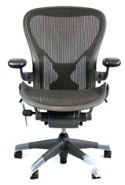
aeron.jpg

It's taken several weeks, but my Aeron chair has finally shipped and I'll probably be getting it in the next few days. Certainly in the next week. I ended up getting a very good deal on it, and it's got the full 12-year warranty, so I'm ready to start sitting. I got the large coasters for the carpet, so it should move smoothly across my office floor. I just can't wait.

Pretty soon I'll have a really nice chair for my office. Then, I just need to code.

UPDATE: based on UPS, my chair is expected to arrive on Jan 5 - the Monday after the New Year holiday weekend. Crud. But better then than later. I'll at least have it by the next weekend.

VoodooPad (Pro) 4.0.4 is Out

Monday, December 29th, 2008

VoodooPad.jpg

The guys at Flying Meat have released a nice update to VoodooPad (Pro) today - 4.0.4. From the release notes it looks like quite a few bugs fixed and several of them crashers. I haven't run into any of the issues, and I've been using it quite a bit - but maybe very simply.

Anyway... nice to see the progress made.

Mounting a USB Thumb Drive in Linux

Monday, December 29th, 2008

Fedora.jpg

I got a thumb drive for Christmas and I wanted to put a few things on it from my linux workstation but I wasn't really sure how to mount it properly. What device did it show up as? There are a few things that I needed to know, but it seemed pretty difficult to find out. Then I talked with a friend that had done this before and he had a few great pointers.

First, find out the device by looking in /dev/disk/by-label. It's got them organized by their labels, and all these thumb drives are going to come with some default label. So now that we have the device it's a simple process of mounting the filesystem:

  $ sudo mkdir /mnt/thumb
  $ sudo mount /dev/disk/by-label/MY_DRIVE /mnt/thumb -t auto

and then it's ready to use. When you're done, simply unmount it:

  $ sudo umount /mnt/thumb

and you can pull it out. Pretty sweet.

Audio Hijack Pro 2.9 is Out

Monday, December 29th, 2008

AudioHijackPro.png

The guys at Rogue Amoeba have completely updated the UI of Audio Hijack Pro for 2.9 and it's very nice. The old UI was functional, but looked more in keeping with a Mac Classic than an OS X app. The new UI looks like a fusion of iTunes and iCal - very nice. There's also a few things the did with this update - like editing ID3 tags, but for the most part, the big change is the UI. Nicely done.

MacVim Snapshot 40 Released

Monday, December 29th, 2008

MacVim.jpg

The guys working on MacVim have released Snapshot 40 with an impressive list of updates:

  • Fix problems with Quickstart "leaking" Vim processes
  • 'imdisable' now on by default (i.e. IM is disabled by default)
  • Clipboard support in non-GUI mode (Kent Sibilev)
  • New document icons, more filetype associations (Nico Weber)
  • Add support for 'guitabtooltip' (hint: add the line "set gtl=%t gtt=%F" to your .gvimrc to make tabs display the name of the file and have the tooltip display the full path) (Jonathon Mah)
  • Look for toolbar icons in runtime path (plugins such as TVO now display toolbar icons properly)
  • Show dialog when clicking to close tab with modified buffers
  • Update documentation
  • Latest Vim source code and runtime files

Still the best cross-platform editor I've ever used.